v6.0.28.0
このソフトウェアはMirrorNestではホストされていません — 詳しくはソフトウェアの提供元についてをご覧ください。上のボタンから公式提供元へ直接アクセスできます。
概要
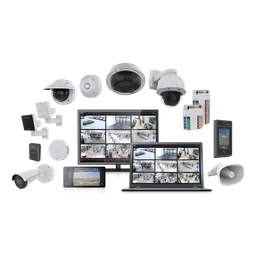
Milestone XProtect内のAxisカメラとデバイス固有の機能を設定し、デバイス管理と録画ビデオの作業を1つの統合スイートで処理します。Axis Communicationsが公開しているAXISOptimizerは、Axis-Milestoneシステムの日常的な管理と操作をより効率的にするプラグインと統合機能を組み合わせています。これはx64アーキテクチャのWindows上で動作し、Milestone XProtectで使用されるAxisデバイス向けに設計および検証されています。
管理者は、カメラの設定を調整したり、デバイス機能を設定したり、ユーザー権限を管理したり、選択した機能へのアクセスを許可したりすることができます。 オペレータは、日々のタスクを簡素化し、軸デバイス間で自動一括アクションを適用することができます。 研究者は、フォレンジック調査をサポートする1つ以上の軸カメラからビデオを検索することができます。 スイートは、管理者、オペレータ、研究者、建築家、およびXProtectの軸線装置を扱うコンサルタントのために意図されています。
バージョン 6.0.28.0 は、AXIS オブジェクト アナリティクスのクロスラインは、カメラのカウントリセット時間とは独立してカウントされ、選択した時間範囲の正確な結果を可能にし、その行が交差しなかった期間を含む。 既存のチャートは異なる可能性があります。 状態が不明なデバイスやオフラインでメタデータや検索で手動で更新および管理できるようになりました。 AXISOptimizerは、XProtect環境で提供されている主要な軸をカバーすることにより、構成と運用ワークフローをまとめ、デバイスを管理する時間を削減し、システムを実行し、ビデオを見直します。
アーキテクチャ: x64
v6.0.28.0の新機能
- [改善] 軸インサイト:カスタム時間範囲のサポートを追加 グローバルダッシュボードフィルタ - [改善] フランス語、イタリア語、ドイツ語で新しい翻訳が可能 - [修正] 軸線のインサイト:ダッシュボードとのやりとりを防ぐ サイドバーが開いているとき - [修正] スピーカーマネージャー:リモートクライアントはスピーカー制御をロードしません スピーカーコントロールウィンドウ
詳細
バージョン履歴
| バージョン | サイズ | 公開日 | スキャン | |
|---|---|---|---|---|
| v6.0.22.0 | — | 2026/9/20 | 当サイトでは未保管 | 公式サイト |
あなたの環境でまだ動作しますか?
レビュー
まだレビューはありません — 最初のレビューを投稿してみませんか。
AXIS Optimizerの代替ソフト

dotMemory Unit Standalone Launcher
Effective memory usage in .NET applications with dotMemory Unit
GamebarHandler
Gets rid of those pesky 'open ms-gamebar' and 'open ms-gamingoverlay' popups.

ShareX
ShareX is a free and open-source application that enables users to capture or record any area of their screen with a single keystroke. It also supports uploading images, text, and various file types to a wide range of destinations.

cerebro-es (Install)
elasticsearch web admin tool

CPUID CPU-Z
System information software

Vantage
Vantage