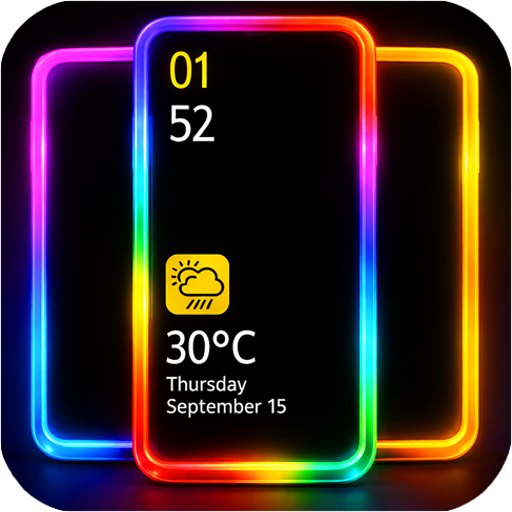
EDGE Lighting -LED Borderlight
Screen Edge Light on Lock Screen, Caller ID & Live Wallpaper with custom Colors
This title isn't mirrored on MirrorNest — see how we source software for why. The button above goes straight to the official publisher.
Screenshots
About
EDGE Lighting -LED Borderlight is an Android system tool that places a moving LED-style light around the edge of a phone display. It is intended for Android users who want border lighting on the home screen, lock screen, and caller ID screen. The app is provided under a demo trial license.
Users can select from 48 gradient border color combinations or create a custom combination using their preferred colors. The border design can also be changed with shapes such as emojis, hearts, suns, diamonds, stars, comedy stickers, and other funny emoji designs. An Always on Display overlay option keeps the edge lighting visible over other applications, including games, Facebook, SMS, and messenger apps.
The caller ID setting can show the border lighting when someone calls. The app supports Infinity U, Infinity V, display hole, and notch screen layouts, with controls for adjusting notch width, height, and radius. It also includes 4K background choices and allows a personal photo to be used with the border lighting on the home and lock screens.
As an Android entry in the System Tools category, the product focuses on display customization rather than general phone management. MirrorNest links directly to the official release instead of hosting or mirroring the application, so the catalog serves as a distribution reference for the demo trial.
Free to use — a paid version with additional features is also available.
What's new in v12.5
[NEW]: Crash & ANR fixes in Edge Light on Battery Charging & Edge Light on Notifications features
Details
Does this still work for you?
Reviews
No reviews yet — be the first.
More in System Tools

Wallpapers
Make the most of your display with beautiful wallpapers and advanced features.
iCallScreen - Phone Dialer
iCallScreen - Enjoy the Phone Dialer - Unique Dial Pad on your Android device.

Silly Smile Live Wallpaper 4K
Silly Smile Live Wallpaper 4K: cute, funny, anime wallpapers

Ad-silence
Silence ads in Accuradio, Spotify.. or any Custom App. Lightweight under 150KB.
Samsung Smart Switch Mobile
If you can't download, you can open Smart Switch from device's Settings menu
NotiFilter
Silence annoying notifications