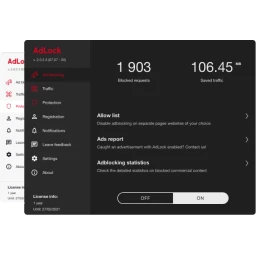
AdLock2.2.0.7
Removes ads from all browsers, games, and other apps providing top-notch privacy security all along.
v2.2.0.7
This title isn't mirrored on MirrorNest — see how we source software for why. The button above goes straight to the official publisher.
About
AdLock removes advertisements from web browsers, games, and other programs, reducing interruptions during browsing, play, and routine desktop work. Its reach extends beyond browser pages, so advertising inside games and other applications falls within the same ad-blocking scope. The product also addresses privacy and security alongside its central ad-removal function.
A person moving between a browser, a game, and other software can use AdLock as one way to handle ads in those different settings. It is intended for users who want fewer advertisements across several kinds of computer software, not just on web pages. Combining cross-application ad removal with privacy and security concerns is AdLock’s clearest distinction from browser-only blockers.
Hankuper s.r.o. publishes AdLock. It belongs to the System Tools category on Windows, with current version 2.2.0.7 built for the x86 architecture. Users should review the release’s license terms before installing it, since those terms govern permitted use.
Architecture: x86
Details
Version history
| Version | Size | Published | Scan | |
|---|---|---|---|---|
| v2.2.0.6 | — | 10/30/2026 | Not hosted here | Official site |
| v2.2.0.1 | — | 10/15/2026 | Not hosted here | Official site |
| v2.1.8.4 | — | 9/20/2026 | Not hosted here | Official site |
Does this still work for you?
Reviews
No reviews yet — be the first.
AdLock alternatives

dotMemory Unit Standalone Launcher
Effective memory usage in .NET applications with dotMemory Unit
GamebarHandler
Gets rid of those pesky 'open ms-gamebar' and 'open ms-gamingoverlay' popups.

ShareX
ShareX is a free and open-source application that enables users to capture or record any area of their screen with a single keystroke. It also supports uploading images, text, and various file types to a wide range of destinations.

cerebro-es (Install)
elasticsearch web admin tool

CPUID CPU-Z
System information software

Vantage
Vantage