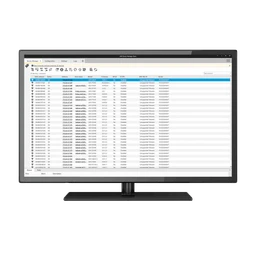
AXISDeviceManager5.34.172
AXIS Device Manager is the go-to-tool for fast and easy installation and configuration of new devices.
v5.34.172
This title isn't mirrored on MirrorNest — see how we source software for why. The button above goes straight to the official publisher.
About
Install, configure, and maintain Axis cameras, access-control equipment, and audio devices from a single Windows workstation with AXISDeviceManager. It gives security installers and system administrators a practical way to bring new devices into service, adjust their settings, and handle ongoing device-management work inside the site rather than through a cloud environment.
Tasks can be performed on an individual device or applied in batches, so recurring security and maintenance operations do not have to be repeated manually for every unit. The software supports the majority of Axis network cameras, access control devices, and audio devices, making it useful where one installation combines several equipment types. A single site can contain up to a couple thousand Axis devices under its management, which suits large deployments that require coordinated administration. Its on-premise design keeps management activity within the site environment, fitting professional security operations and site administration.
Published by Axis Communications AB, AXISDeviceManager runs on Windows systems using the x64 architecture. The current version is 5.34.172, and the software is intended for professional workflows covering both initial deployment and continuing device maintenance. Installers can use it during new equipment setup, while administrators can return to it for configuration changes, security tasks, and maintenance across an established site.
Architecture: x64
Details
Does this still work for you?
Reviews
No reviews yet — be the first.
AXISDeviceManager alternatives

dotMemory Unit Standalone Launcher
Effective memory usage in .NET applications with dotMemory Unit
GamebarHandler
Gets rid of those pesky 'open ms-gamebar' and 'open ms-gamingoverlay' popups.

ShareX
ShareX is a free and open-source application that enables users to capture or record any area of their screen with a single keystroke. It also supports uploading images, text, and various file types to a wide range of destinations.

cerebro-es (Install)
elasticsearch web admin tool

CPUID CPU-Z
System information software

Vantage
Vantage