Frame
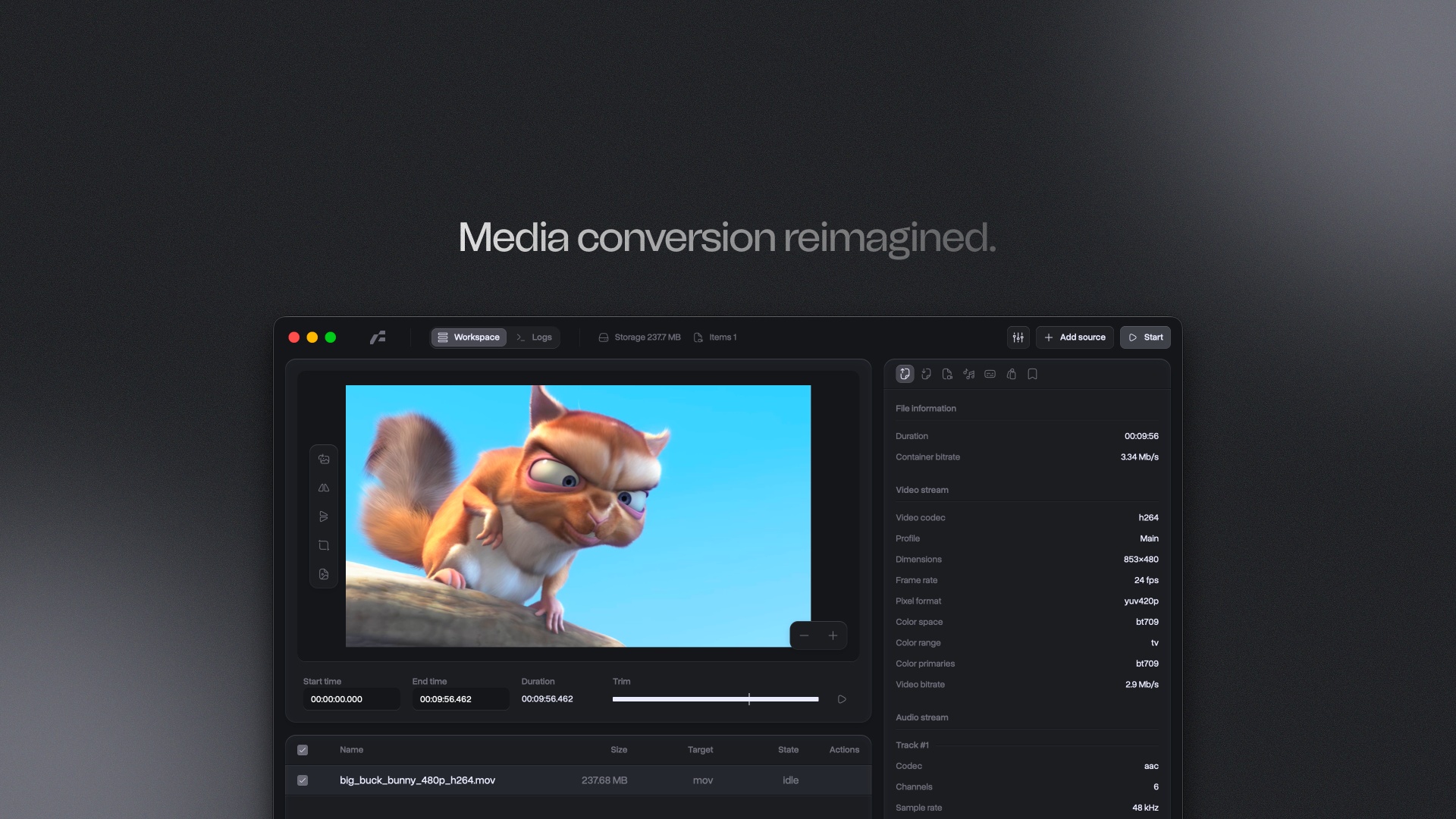
Frame is a high-performance media conversion utility built on the Tauri v2 framework. It provides a native interface for FFmpeg operations
v0.33.0
80.0 MBscanned clean· 3 downloads
Verify your download
Select the file you downloaded to check it against the hash we published — the check runs in your browser, nothing is uploaded.
Screenshots
About
Frame is an open-source media conversion utility for Windows. It provides a native interface for working with FFmpeg operations. The application is intended for users who need to configure and monitor video or audio transcoding from a desktop environment.
Frame supports granular control over video and audio transcoding parameters. Its interface is built with Svelte 5 and is used for configuration and state monitoring. This allows the application to present conversion settings and task status within the same Windows program.
The application is built on the Tauri v2 framework. Its backend uses Rust for concurrent task management and process execution. This architecture connects the native desktop interface with the underlying FFmpeg operations.
Frame fits the Windows software category as a desktop tool for media conversion. MirrorNest distributes the official build directly from its own storage. Each mirrored build is scanned for malware before it is published, giving readers a distribution path that stays tied to the official release.
Architecture: x64
What's new in v0.33.0
Added - M2T, MTS, and M2TS Workflows: Added complete MPEG transport-stream import, preview, re-encode, mixed subtitle, and stream-copy workflows with explicit 188-byte M2T and 192-byte MTS/M2TS profiles; MPEG-2 Video, MP2, Opus-in-TS, AC-3, and Blu-ray PCM encoding; program/service metadata Preserve, Clean, and Replace modes; SRT/ASS/WebVTT burn-in; embedded DVB/teletext/ARIB/PGS handling; and selectable .sup PGS copy or standards-compliant DVB conversion without private-data subtitle fallbacks. Resolves #111. - Selectable External Subtitles: Added multi-file import for SRT, ASS, and WebVTT sidecars as switchable output tracks, with per-track language, title, default, and forced metadata. External tracks are persisted with file settings, validated before conversion, kept synchronized with trimmed exports, and encoded according to the MP4, MOV, MKV, or WebM subtitle contract without forcing source audio and video streams out of copy mode. Changed - Explicit Stream Selection: Audio and embedded subtitle exports now map only tracks explicitly selected by the user; an empty selection produces no stream of that type instead of implicitly preserving every source track. - Virtualized File Queue: Reused the Logs panel's uniform-list rendering and scrollbar for the workspace file queue, keeping large batches responsive while preserving row selection, actions, and accessibility. - Subtitle Settings Workflow: Split the Subtitles tab into Selectable and Burn-in modes so only the relevant controls are shown. Selectable subtitles now combine imported sidecars with embedded source tracks, while burn-in import uses the same post-import file-row and removal pattern as selectable subtitles. - Audio and Subtitle Track Rows: Reworked shared track rows so audio metadata uses a readable two-line layout with channels, language, track name, and bitrate grouped together, while subtitle rows remain compact and preserve the track index and codec when space is limited. Source track names now fall back to FFmpeg handler metadata when no title is available. Fixed - Track Selection Feedback: Smoothed selected, unselected, hover, and selection-dot transitions and cleared pressed state before click handlers run, preventing track rows from retaining an incorrect brighter color until focus moved elsewhere or showing an unwanted intermediate pressed color.
Does this still work for you?
Reviews
No reviews yet — be the first.
More in System Tools
360GT
Great games at your fingertips!
360CleanMaster
Lightweight but powerful cleaner for ultimate cleaning and acceleration experience

CDBurnerXP
Free CD and DVD burner
360Chrome
A Chromium-based browser for fluent and ultimate experience
Beersmith
BeerSmith Home Brewing Software

Balabolka
Text-To-Speech (TTS) program