ClockWidget1.1.0
A custom clock widget
v1.1.0
46.1 MBscanned clean
Verify your download
Select the file you downloaded to check it against the hash we published — the check runs in your browser, nothing is uploaded.
Screenshots
About
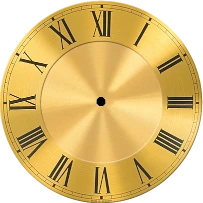
Put a clock directly on the desktop and move it to a preferred spot with the mouse using ClockWidget, keeping the time visible alongside other desktop elements. Developed by Oleg Gladkov, it is an open-source desktop widget for Linux that requires snapd and targets x86_64 (amd64) systems. It suits personal workstations and home desktops where the clock should occupy a deliberate, visible position.
Left-click the widget to move it to another location on the screen. Right-clicking opens the controls for changing ClockWidget’s available settings. Its own desktop interface brings appearance, placement, and size adjustments together, so users can shape both the widget’s look and its position from one control area.
The mouse-centered design is intended for Linux users who want direct control over where a desktop clock sits. The current release is version 1.1.0.
Requires Linux + snapd · Architecture: x86_64 (amd64)
Details
SHA-256
Does this still work for you?
Badge for your website
Developers can show that ClockWidget is available on MirrorNest. Copy the code below: the badge links to this page and updates itself.

<a href="https://mirrornest.com/software/clockwidget-54195f1c"><img src="https://mirrornest.com/badge/clockwidget-54195f1c.svg" alt="ClockWidget on MirrorNest" height="20"></a>[](https://mirrornest.com/software/clockwidget-54195f1c)Reviews
No reviews yet — be the first.