Acorn8.7.2
Image editor focused on simplicity
v8.7.2
35.3 MBscanned clean
Verify your download
Select the file you downloaded to check it against the hash we published — the check runs in your browser, nothing is uploaded.
Screenshots
About
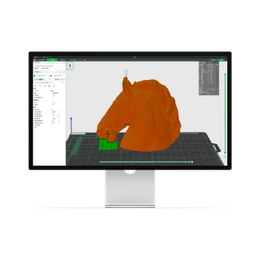
Acorn lets Mac users edit photos, retouch pictures, apply filters, paint, crop, add text, and create images in a straightforward workspace. It suits photographers, illustrators, and casual editors who want to handle everyday image work without a complicated production environment.
Its tools include AI subject selection, Live Text, data-driven graphics, an on-canvas ruler, LUT support, super-resolution machine-learning resizing, and a perspective-fix-and-crop tool with a precise color picker. Users can place text along paths, transform or rotate layers, scale them with canvas controls or inspector values, and use soft brushes for cloning, burning, dodging, and smudging. Selections can become shapes, while instant-alpha options assist with background removal; flood fill supports both contiguous and non-contiguous areas. The clone tool works across layers and images, including group and shape layers, and cropping can lock pixels, resize during the crop, or reuse a Last Crop preset.
Acorn opens layered 32-bit PSD files as far as its compatibility allows, though complete PSD compatibility belongs to the latest Adobe Photoshop; it exports CMYK TIFF files at up to 128 bits per pixel and supports animated GIF and PNG export. Apple Shortcuts support and animated export are improved in Acorn 8, whose newer features also include the AI, Live Text, data graphics, ruler, LUT, and super-resolution tools. The Direct and App Store editions have some small differences, and Acorn does not use a subscription.
Version 8.7.2 runs on macOS 14 Sonoma or later for Intel and Apple Silicon Macs, and is offered as freeware.
Requires macOS 14 Sonoma+ · Architecture: Intel & Apple Silicon
Details
SHA-256
Version history
Does this still work for you?
Badge for your website
Developers can show that Acorn is available on MirrorNest. Copy the code below: the badge links to this page and updates itself.

<a href="https://mirrornest.com/software/acorn-1686b429"><img src="https://mirrornest.com/badge/acorn-1686b429.svg" alt="Acorn on MirrorNest" height="20"></a>[](https://mirrornest.com/software/acorn-1686b429)Reviews
No reviews yet — be the first.