Bambu Studio02.08.02.61
3D model slicing software for 3D printers, maintained by Bambu Lab
v02.08.02.61,20260820225108
275.0 MBscanned clean
Verify your download
Select the file you downloaded to check it against the hash we published — the check runs in your browser, nothing is uploaded.
About
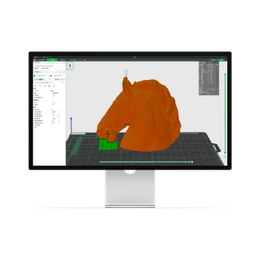
Bambu Studio converts 3D models into the layer-by-layer instructions a 3D printer uses, helping users prepare a digital design for physical production. It is maintained by Bambu Lab and brings model placement, slicing, print settings, and toolpath preview into one workspace. The software addresses the gap between a finished 3D model and a print that can be sent to a compatible printer.
Users can arrange one or more models on a print plate, adjust parameters such as layer height and infill, and inspect the planned layers before printing. Support generation, object manipulation, printer profiles, and material settings help adapt a design to different print jobs. Its close fit with Bambu Lab hardware distinguishes it from general-purpose slicers by putting printer-specific preparation and workflow controls in the same application.
Bambu Studio suits home makers, product designers, educators, and anyone preparing Bambu Lab prints from a Mac, from quick prototypes to repeated small parts. The current release is 02.08.02.61,20260820225108 for macOS and supports both Intel and Apple Silicon Macs. It is distributed as freeware in the Photo & Graphics category, so users should choose the build matching their Mac’s processor architecture before working with their printer and models.
Architecture: Intel & Apple Silicon
Details
SHA-256
Does this still work for you?
Badge for your website
Developers can show that Bambu Studio is available on MirrorNest. Copy the code below: the badge links to this page and updates itself.

<a href="https://mirrornest.com/software/bambu-studio-e07fb5c8"><img src="https://mirrornest.com/badge/bambu-studio-e07fb5c8.svg" alt="Bambu Studio on MirrorNest" height="20"></a>[](https://mirrornest.com/software/bambu-studio-e07fb5c8)Reviews
No reviews yet — be the first.